1
/
of
6
360° Dual Lens WiFi Security Camera with Motion Detection & Night Vision
360° Dual Lens WiFi Security Camera with Motion Detection & Night Vision
Regular price
GH₵498.00
Regular price
GH₵698.00
Sale price
GH₵498.00
Unit price
/
per
Out of stock
Couldn't load pickup availability
Cash on Delivery
Easy Returns
Free Delivery
Stay connected to your home from anywhere with this Smart WiFi Camera. It delivers real-time video streaming, allowing you to monitor your property anytime through your smartphone or computer. With...
Stay connected to your home from anywhere with this Smart WiFi Camera. It delivers real-time video streaming, allowing you to monitor your property anytime through your smartphone or computer. With built-in playback functionality, you can easily review past footage to stay informed about events at home.
The camera also features full remote control—giving you the ability to pan, tilt, and zoom directly from your device. This ensures you can monitor every angle and corner with precision, enhancing your overall home security.
| Feature | Specification |
|---|---|
| Resolution | 2MP or 4MP (Full HD or 2K) |
| Lens Type | Dual Lens (Wide-Angle + Zoom) |
| Pan/Tilt Range | 270° Pan / 90°–120° Tilt |
| Zoom | 5x Hybrid Zoom (Digital + Optical) |
| Connectivity | 2.4GHz WiFi (no 5GHz support) |
| Audio | Two-Way Audio (Built-in Mic and Speaker) |
| Night Vision | IR Night Vision + Full-Color Night Vision + Smart Mode |
| Motion Detection | AI Human Detection / Motion Tracking |
| Storage | microSD card (up to 128GB+), Cloud Storage |
| App Control | Compatible with V380 Pro App |
| Video Playback | Real-time viewing + Recorded playback |
| Remote Control | Pan, Tilt, Zoom via mobile or PC |
| Power Supply | DC 12V (varies by model) |
| Weather Resistance | IP65 or IP66 for outdoor use |
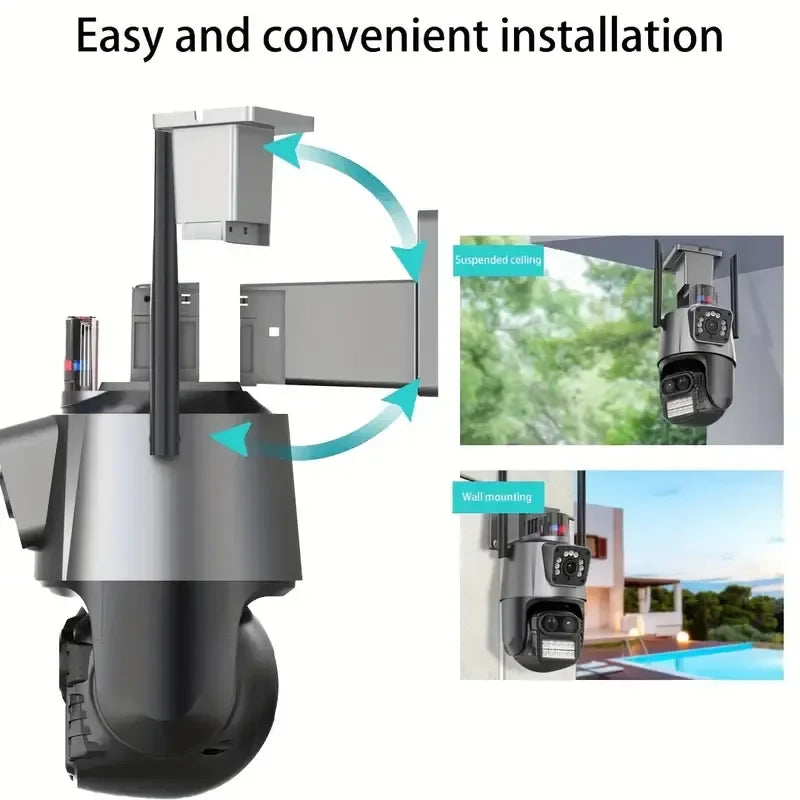
| Installation | Wall or ceiling mountable |
| App Compatibility | Android, iOS |
Setup Guide
-
Download the App
Install the recommended mobile app (V380 Pro) from the App Store or Google Play. -
Power the Camera
Plug the camera into a power source using the included DC adapter. Wait for the indicator light to start flashing. -
Reset if Needed
If the camera isn’t flashing, press and hold the reset button until you hear a prompt or see the indicator blink. -
Connect to WiFi
Open the app and add a new device. Select your 2.4GHz WiFi network and enter the password to connect. -
Scan QR Code or Enter UID
Use the app to scan the camera’s QR code or manually input the device ID (usually found on the camera or packaging). -
Mount the Camera
Install the camera in your desired location using wall or ceiling mounts. Position it for the best viewing angle. -
Configure Settings
Use the app to adjust motion detection, night vision mode, pan/tilt settings, and recording preferences. -
Optional: Enable Cloud or SD Storage
Insert a microSD card (if supported) or activate cloud storage for video playback and history recording.